HTML4 for the World Wide Web
Based on HTML for the World Wide Web by Elizabeth Castro (978-90-430-0382-4, Pearson Education)
Introduction
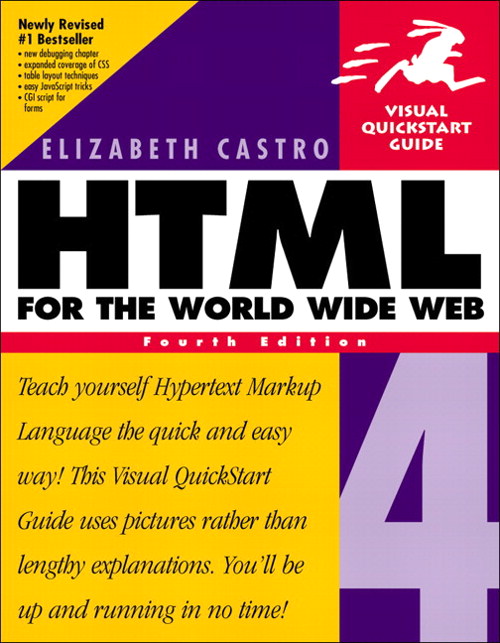 I read this book in 2003 when the web was still young. I used it to teach myself html (and a little css) so that I could create my own first personal web page. I like to read so it had short summaries of books I had read, plus pictures to share with the family scattered across the globe. It was quite primitive and as I had no training in software development I was not adhering to any best practices or even following the web standards, but neither were the big players. In those days it was a challenge to make sure a site looked as intended on all browsers. Still I managed to create my own photo galleries and carrousel from scratch. If I would have started today I probably would have gone for something like bootstrap with all this functionality readily available. The original website does not exist anymore, it was hosted on a server from our telecom provider and they stopped offering that service. So I switched to WordPress at some point and used my html knowledge to centralise info at work playing around with various cms options, like WordPress and Drupal. Then came the big SharePoint wave at work which makes making a webpage with your own html very difficult. I had made a webpage with a form to collect some experimental data with the purpose to compare actual duration with predictions based on a model. I got that working with a bit of fiddling and searching on the web figuring out I needed to switch from .html to .aspx on SharePoint for example. It worked but when I wanted to update my model which was coded in Javascript, some security update had made updating my existing webpage impossible. During corona I started a new WordPress blog on WordPress.com and at the beginning of the year decided it was better to host my own site, and run a WordPress blog there. Main reason was that I wanted functionality in WordPress that was not available in my WordPress plan and to enable the features I was looking for would cost more that getting a hosting plan somewhere else. In parallel I followed a course called Web design for everybody from umich on Coursera. That got me more or less up to current on HTML 5 and CSS. It was certainly a good course but you really start to learn and explore when you do your own projects. So, on my new website I am planning to create my own custom Quizlet version. That will allow me to tweak what I want and the money I will save on the Quizlet WordPress.com subscriptions will go a long way to pay for my web hosting package. And there are more ideas percolating! I got myself a new book on HTML 5, CSS and Javascript but decided to quickly re read the old book before deciding if I could make myself chuck it. This is more a sentimental issue than a question of technical relevance of the book. Having reread the book it becomes clear how much has changed, not only standards wise but also in our approach to web development. I would not recommend this book today but at the time when things were new and hampered by many technical limitations to book served a purpose. To allow anyone to take their first steps and go out there where no one had gone before. On this page I plan to make a summary of the book and the things that are still relevant and the ones that definitely belong to the past.
Book Content
This books is from around 2000 and follows the HTML4 and CSS2 standards plus the partial implementation of these standards by the various browsers at the time. It also introduces DTML with Javascript and some server side scripting techniques, mainly PERL. There are 22 chapters. The first 12 deal with HTML, the next 4 deal with CSS and then there are 2 chapters about Javascript. The last 4 chapters deal with various topics related to website creation like trouble shooting, hosting your site and attracting traffic. I will cover the first 18 chapters only.
Chapters 1 & 2. Building Blocks of HTML and Starting Your First Web Page
Chapter 1 introduces the general syntax of HTML tags. It covers the concept of beginning and closing tags, tag attributes, the difference between block level and inline level tags, urls, absolute and relative, and how to write special symbols on your page. Chapter 2 then introduces the standard tag structure of every HTML page with the <html>, <head> and <body> tags. What to put in the head section and the body section and it also introduces the <Hn> heading tags, the <p> tag and the <br> and <hr> tags. It briefly covers how to align your text to the left, center or right and to set colors for some elements. Most of this is so basic that it is still valid today. Only exception is the use of attributes in the examples to style the page that don’t work anymore and all this should be done with CSS and not directly in a tag via an attribute. The <font> tag does still work but is not valid HTML5. And, the author doesn’t fully stick to the standard. For example, she leaves out the <!DOCTYPE>. She does clearly mention that she is skipping it and explains the reasons why. In those days when the web was still brand new it probably made sense, today you just type ! in vscode and hit the tab key to let emmet create this basic html file structure, !DOCTYPE and all. You hit 2 keys and get 205 characters including new lines and indenting all at once. It still pays to know what all the text that vscode generates means so that you can modify it to your situation. Today AI is the hype and I was in a class where a demo generated an interactive dashboard based in the form of an html file. Very impressive, you don’t need to know any coding at all. Until you want to start tweaking it to your liking.
Chapter 3. Styling Text
Chapter 3 about styling text is really obsolete. Although quite a few of the styling tags still work, they are no longer officially supported in HTML5. You can still use almost all tags mentioned in the chapter but many are no longer part of HTML5 and should be replaced by styling with CSS. From that point of view this chapter is not a good guide. A short list below.
- Outdated:
- <basefont>: didn’t have any effect in my browser preview
- <font>
- <strike>: replaced by <s> in HTML5
- <blink>: proprietary Netscape tag, didn’t work at all for me
- <big>
- <small>
- Still valid HTML5
- <pre>
- <code>
- <i>
- <b>
- <u>
- <sub>
- <sup>
Chapters 4 & 5. Creating and Using Images
Chapter 4 about creating images you can ignore. It still deals with antiquated hardware limitations with respect to connection speed and monitor colour depth. Today, with connections allowing to stream video and online gaming the connection speed is not the same concern it was in 2000. Of course, if you are using images just to show them on the web page=screen then it makes no sense to use large high quality images. It will just take time more loading without adding benefit. Sizing your images correctly still makes sense but it is not something to be paranoid about like in 1999 when loading a webpage with heavy images could take minutes with a slow modem. There is also a discussion about interlacing images using browser safe colours. The chapter reminded me about animated gifs and software to create those but you are better off doing a google search for up to date pointers in that area. Chapter 5 is also outdated but more relevant. Main problem here is that it applies styling to the image through attributes of the image tag which should now all be handled with css. Most of this still works but there is no point to do this in this out dated way. You can also achieve the same effect by applying inline css with the style attribute. This makes it HTML5 compliant and you can then switch to internal or external css easily.
Chapters 6 & 7. Page Layout & Hyperlinks
Chapter 6 is about styling the layout of your page without css using attributes of for example the <body> tag to set the background colour. All of this is no longer done and this particular example didn’t work in my browser. Some other tags that are no longer part of HTML5 like <center> to center text still worked though. The concept of pixelshims to create space is introduced, something I had forgotten all about. Most of the chapter can be forgotten with the exception of the following tags which are still HTML5.
- <pre> to have preformatted text displayed with the formatting, for example showing extra spaces and line ends
- <q> for quotes
- <blockquote> For block quotes
- <br> for line ends
- <hr> for horizontal lines
The chapter about hyperlinks is more up to date but still has some outdated content, like for example the use of the name attribute of tags so they can function as an anchor for hyperlinks. This is now done by using the id attribute instead. The part that discusses how to change the appearance of hyperlinks depending on if they have been visited or not or is being clicked on is now also done with css and pseudo selectors and not the specific link, alink and vlink attributes of the body tag.
A bit of a mixed bag these 2 chapters, quite a bit is still up to date and relevant but basically everything that has to do with changing

